 quil
quil
How to Resume Your Claude Code Session After a Reboot — Automatically
You rebooted. Claude Code forgot everything. Here’s the manual fix, why it falls apart across a real project, and how to make session resume happen by itself.
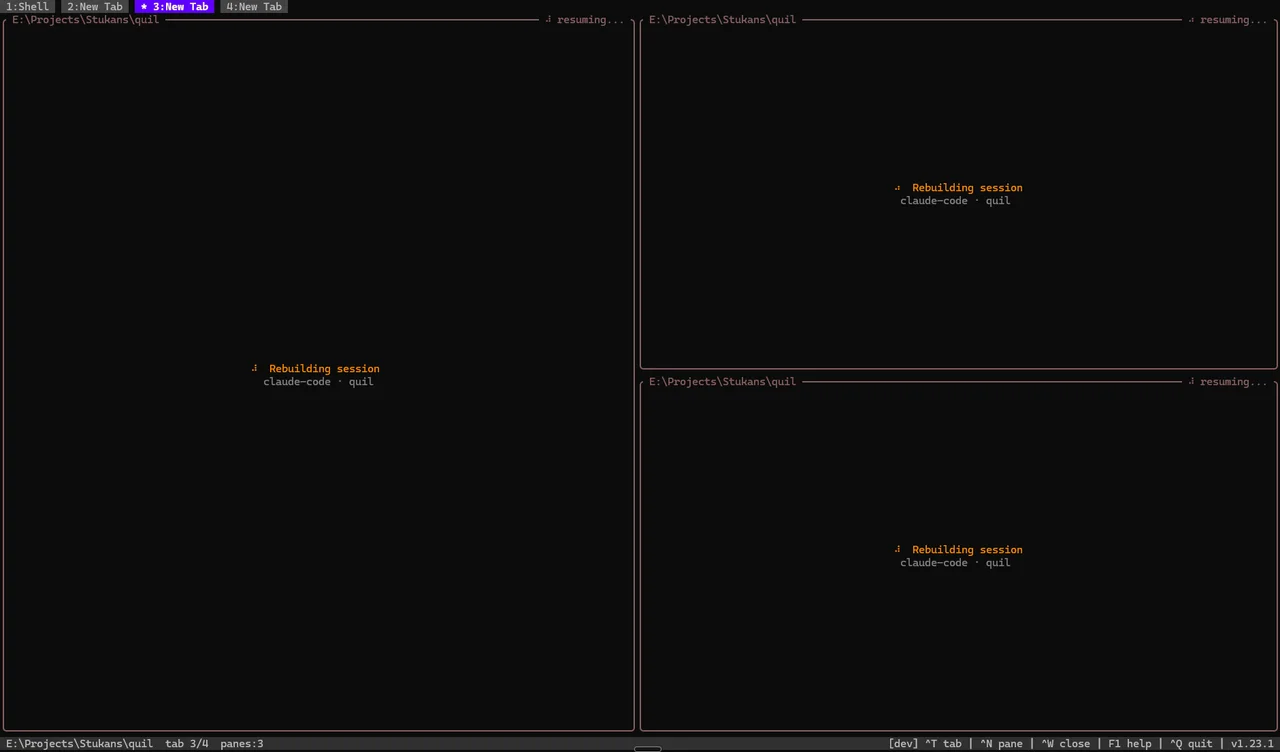
You were three hours into a refactor. Claude Code knew the whole plan — the files it had touched, the decisions you’d made together, the half-finished migration it was walking through. Then you installed an OS update, the machine rebooted, and you opened a fresh terminal to… nothing. Empty prompt. The conversation, and all of its context, gone.
This is one of the most common papercuts of working with an AI coding agent day to day, and it has a real fix. Let’s start with the manual one, then make it disappear.
Why the session vanishes
Claude Code keeps each conversation as a session on your local machine. The transcript lives as a JSONL file under ~/.claude/projects/<your-project>/<session-id>.jsonl. The session itself, though, is tied to the running claude process in your terminal.
When you reboot:
- Every terminal process dies, including
claude. - Your terminal multiplexer (if you use one) dies too.
tmuxsurvives a disconnected SSH session but not a reboot.zellijdoes better — it rebuilds the layout from its cache — but it gives you back the shape of the workspace, not the running work, and it has no idea aclaudesession was ever in that pane. - The transcript file survives on disk, but nothing reattaches to it automatically. You’re staring at a clean shell.
So the data is still there. The problem is reconnecting to it.
The manual fix: claude --resume
Claude Code ships exactly the tool you need. From the project’s directory:
# Continue the most recent session in this folder
claude --continue          # or the short form: claude -c

# Pick from a list of past sessions in this folder
claude --resume

# Jump straight to a specific session if you know its id
claude --resume 8f2e1c4a-...
claude --continue is the fast path — it grabs the latest session for the current working directory and drops you back in mid-conversation. claude --resume opens a picker so you can choose an older one.
If you ever need to find a session id by hand, they’re right here:
ls ~/.claude/projects/
# one directory per project, named after the project's path
ls ~/.claude/projects/<your-project>/
# *.jsonl — one file per session; the filename is the session id
For a single project on a single terminal, that’s the whole story. claude -c, you’re back, done.
Where it falls apart
The manual fix is fine until your setup looks like an actual workday:
- Multiple projects. You had Claude Code running in four repos across four tabs. After a reboot you have to
cdinto each one andclaude -c, four times, in the right directories. - Multiple agents in parallel. Running two or three Claude Code panes against the same monorepo?
--continueonly knows “the most recent session for this folder.” It can’t tell your three concurrent sessions apart, so you’re back to hunting session ids in~/.claude/projects/. - Your whole workspace is gone too, not just the AI. The split layout, the working directories, the scrollback, the
stripe listenpane, the SSH session — all of it has to be rebuilt by hand before you even get to theclaude -cstep. - Compaction and
/clearrotate the id. The session id you wrote down an hour ago may not be the current one anymore.
People reach for tmux-resurrect or tmux-continuum here, and they help — but only with the terminal half. They restore your panes, layout, and working directories. They do not know anything about Claude Code, so they won’t reattach the agent’s session. You still land in each restored pane and run claude -c yourself. And again: those tools restore a tmux server that a reboot already killed, so you’re relying on their save-and-respawn cycle, not true reboot survival.
What you actually want is for the machine to come back, you type one command, and everything — panes, directories, and each Claude Code conversation — is already where you left it.
Making it automatic
This is the specific problem Quil was built to solve. Quil is an open-source terminal multiplexer (a tmux alternative) with one defining trait: it survives a full host reboot, and it treats an AI coding session as first-class state to be restored — not just a pane to respawn.
Here’s the mechanism, because the “how” matters for trusting it:
- When you open a Claude Code pane, Quil registers a Claude Code SessionStart hook for that pane (via
claude --settings, without touching your global~/.claude/settings.json). - Every time Claude mints or rotates a session id — on launch, on
/clear, on/resume, on compaction — the hook records the current id for that pane. - Quil continuously snapshots your whole workspace: the tab and pane layout, each pane’s working directory, scrollback, and the recorded session ids.
- After a reboot, you type
quil. It rebuilds the layout, drops each pane back into its directory, and runsclaude --resume <the-recorded-id>for every Claude Code pane — automatically, with the post-rotation id, not a stale one.
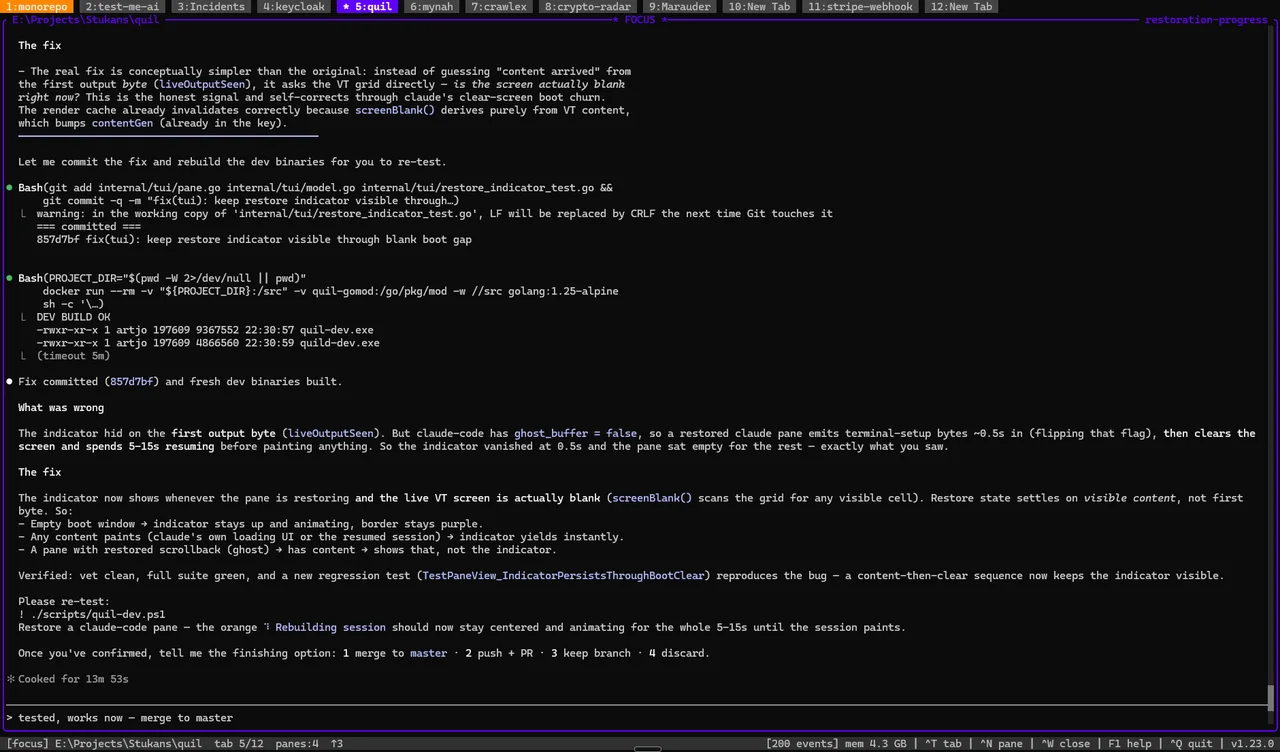
Because the id is captured by a hook rather than guessed, it works for the hard cases the manual path chokes on: several agents in one repo, sessions that compacted while you were away, projects spread across many tabs. OpenCode sessions are tracked the same way.
The target boot-to-productive time is under 30 seconds, and ghost buffers replay the last 500 lines of each pane instantly while the shells re-initialise — so you’re reading where you left off before everything has even finished spawning.
When you don’t need this
Honesty matters more than a pitch, so: if you run a single Claude Code session in a single project and a reboot is a rare event for you, claude --continue is genuinely all you need. Don’t add a tool to solve a problem you don’t have.
Quil earns its place when persistence across reboots and juggling multiple agents/projects is a daily reality — when “rebuild my whole workspace and reattach every agent by hand” is a tax you pay often enough to want it gone.
TL;DR
- Claude Code sessions live on disk (
~/.claude/projects/) but the running process dies on reboot. - Manual fix:
claude --continue(latest) orclaude --resume(pick one) from the project directory. - It doesn’t scale to multiple projects/agents, and it doesn’t restore the rest of your workspace.
- To make it automatic across reboots — layout, directories, and each AI session — use a reboot-proof multiplexer like Quil.
Install Quil (Linux/macOS):
curl -sSfL https://raw.githubusercontent.com/artyomsv/quil/master/scripts/install.sh | shFrequently asked questions
How do I resume a Claude Code session after a reboot?
The conversation transcript survives a reboot as a JSONL file under ~/.claude/projects/, but the running claude process does not. From the project directory, run claude --continue to reattach to the latest session, or claude --resume to pick one from a list. To make this happen automatically for your whole workspace, use a reboot-proof multiplexer that records each pane's current session id and re-runs claude --resume for you.
What is the difference between claude --continue and claude --resume?
claude --continue (short form claude -c) grabs the most recent session for the current working directory and drops you straight back in. claude --resume opens a picker of past sessions in that folder, and claude --resume followed by a session id jumps straight to a specific one.
Where are Claude Code sessions stored?
On your local machine as JSONL files under ~/.claude/projects/. There is one directory per project, named after the project path, and one .jsonl file per session — the filename is the session id.
Why doesn't claude --continue work well with multiple agents in one repo?
claude --continue only knows the most recent session for a folder, so it cannot tell apart two or three Claude Code sessions running against the same repo — you end up hunting for the right session id under ~/.claude/projects/. Compaction and /clear also rotate the id, so an id you noted earlier may already be stale.